 Tiny Wins
Tiny Wins
Tiny Wins
Check in with your energy, pick just three things, and celebrate every one you finish. Tasks, habits, routines, bills and spending in one calm app, saved in your own Google Sheet.
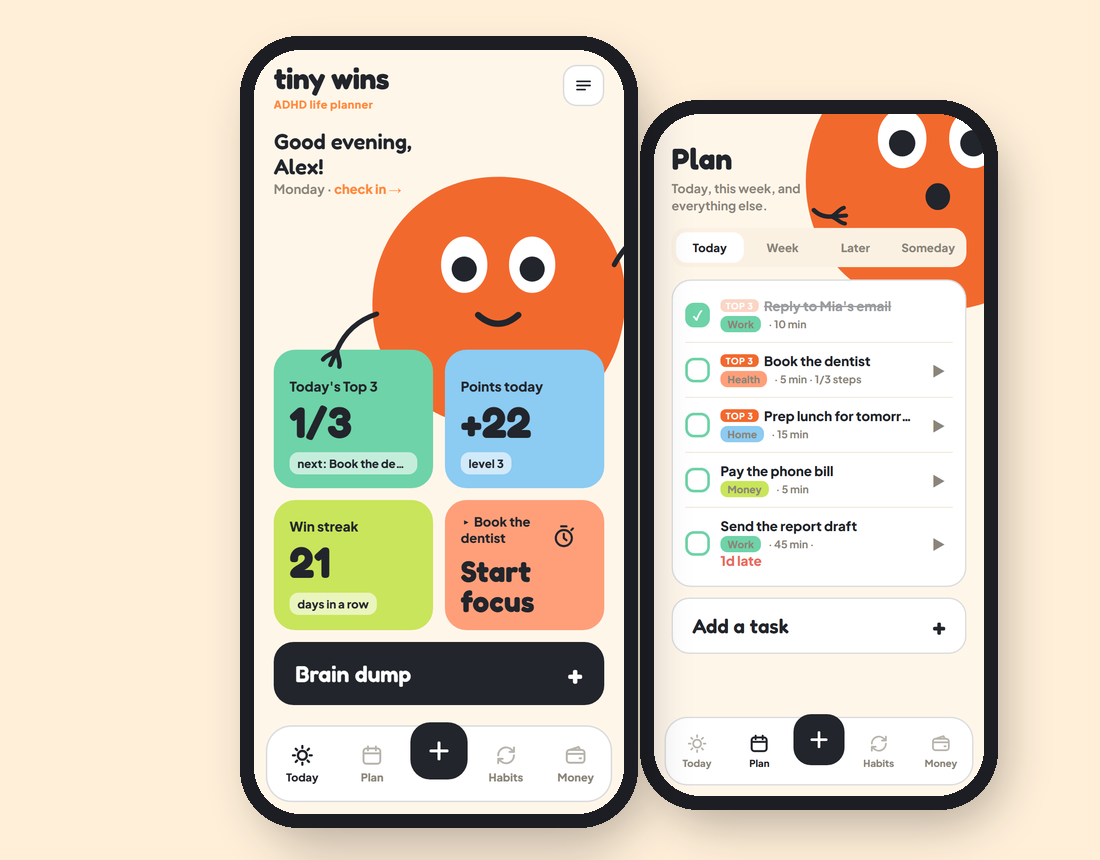
Low battery, okay or charged: the day adapts, and on a low day one easy win is enough.
Not a list of 40 things. Three that matter, with suggestions that fit your energy.
"Break it down for me" turns a scary task into 2-minute steps you can actually start.
Get it out of your head in one tap, sort it later. Then one thing at a time with the focus ring.
"After I ___, I will ___" habits, step-by-step routines, bills, spending and savings goals.
Everything lands in a designed Google Sheet in your own Drive: phone and laptop always in sync.
On your phone or computer. Put it on your home screen like any app.
The access code is in the guide from your order. Then connect Google Sheets: the app can only see the one sheet it creates.
Tap how your battery is and pick your Top 3. That's it.